All your thinking, in one sphere.
The AI workspace where everything you read, ask and write is woven into one living memory. Each piece connects to the rest, comes back in any conversation, and traces to the exact line, all on your own computer.
Free 14-day trial at launch. No card needed.
Windows 10 and 11
It connects the dots. You do the thinking.
Knowledge Map
See how it all connects.
Consolidate reads your chats and builds a knowledge graph of the people, places, ideas and papers in them. Every connection records when it was true and the chat it came from, so you can scrub through time and watch it grow. Switch to Notes & Library to see your notes and documents placed by meaning.
Notes
Send it straight to your notes.
Send a passage, a snapshot of a page or a reply from a chat to Notes, word for word or summarised by AI. Onixphere offers the notes closest to it first, so it lands beside related work, and Recall can bring it back in any later reply.
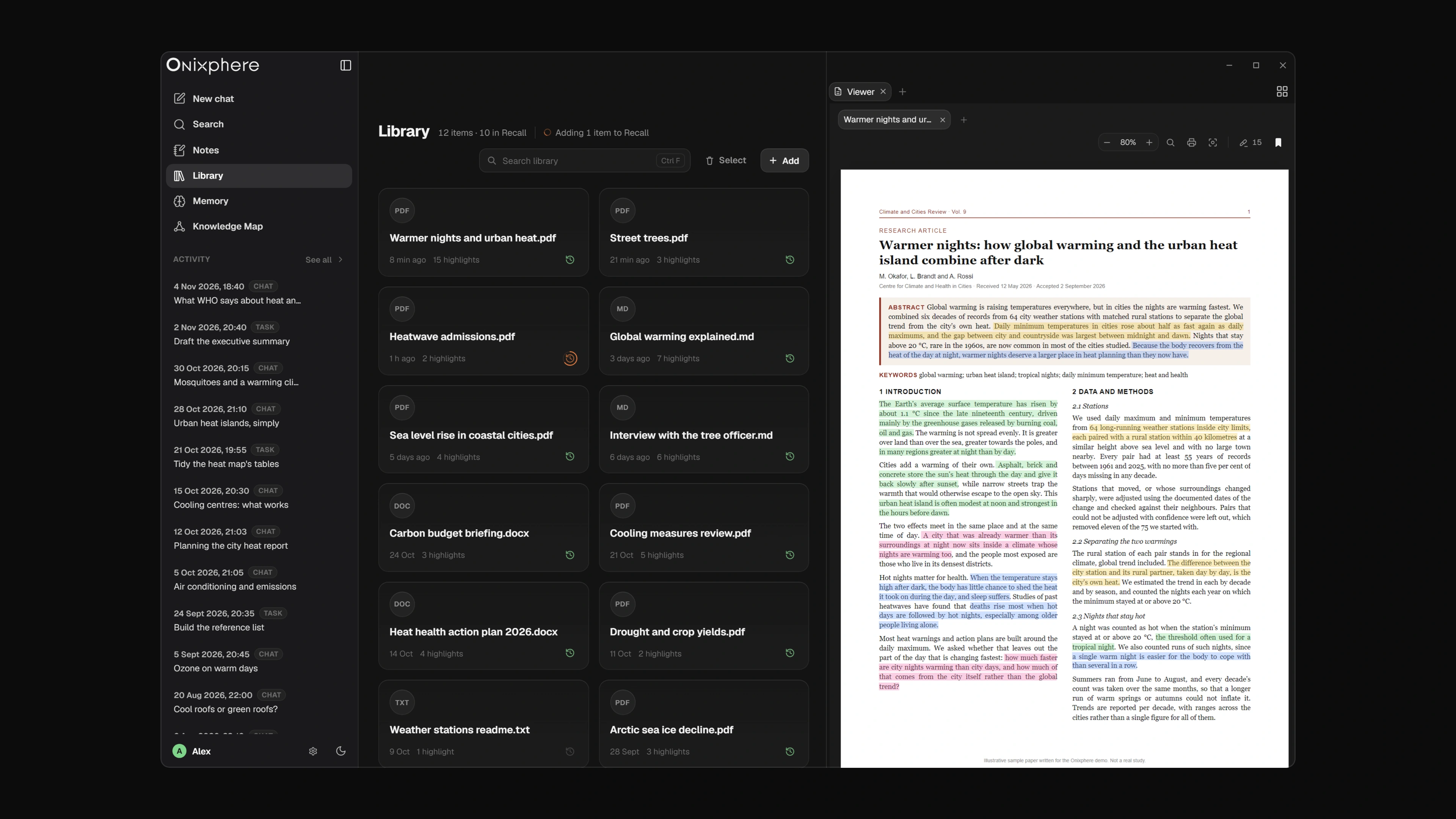
Library
Everything you’ve read, ready to come back.
Highlight a passage or star a document in the Viewer and it joins your Library, kept as its own copy so your marks stay put. Each highlight is indexed with your comment, so Recall finds a passage by what you thought about it as well as by what it says.
Browser
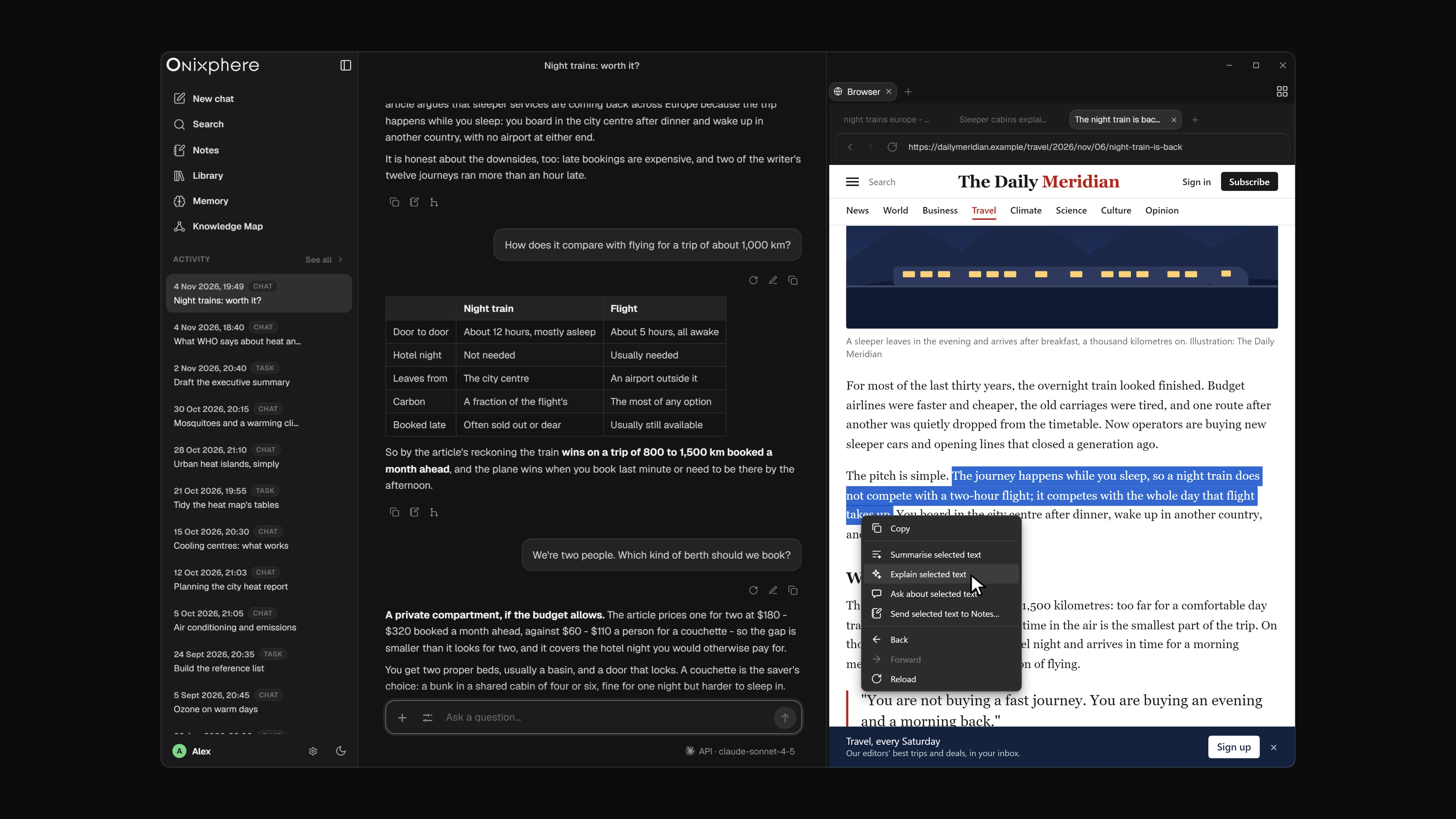
A browser built right in.
Browse in tabs beside your conversation. Right-click a page or a selection to summarise it, explain it, ask about it or send it to Notes.
CoAgent
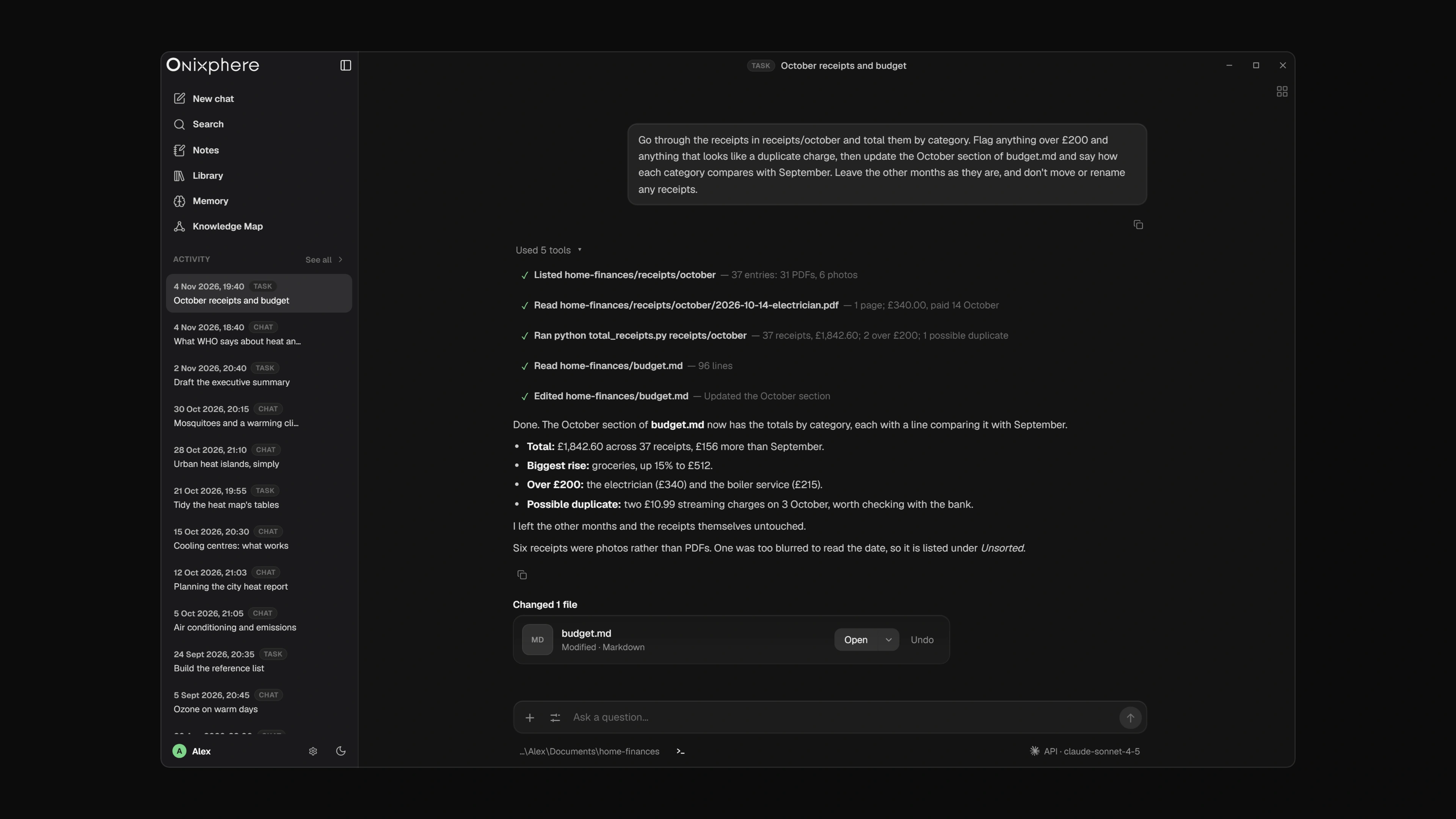
You set the task. It does the work.
Grant CoAgent a folder and describe the task. It plans the work, reads and writes files and runs commands, showing each step as it goes. It asks before it changes anything, and every change can be undone.
The essentials
At its core, a full AI workspace.
Everything you’d expect from working with AI, with the models you choose and your data on your own computer.
Works with OpenAI, Anthropic, Google Gemini, xAI Grok – or local models with Ollama, which Onixphere can install for you.
-
Your models, your keys
Use your own API key for each provider, stored encrypted by Windows.
-
Ask about any file
Drop a PDF, a Word, Excel or PowerPoint file, code or a picture into the chat and ask about it.
-
Web search, with sources
Let cloud models search the web through the provider you chose, with the pages they used under the reply.
-
Find anything
Press Ctrl K to search your chats, tasks, notes, Library and Memory from one box.
-
Edit and fork chats
Edit a message and move between versions, or fork a chat to follow another line of thought.
-
Tones and prompts
Choose how replies are written, write tones of your own, and keep the prompts you use often a “/” away.
-
Bring your past chats
Import your chats from ChatGPT, Claude, Gemini or Grok, then let Consolidate turn them into Memory.
-
One-file backup
Back up every chat, note, document and Memory to a single file, whenever you like.
Privacy
Private by design.
-
Your data stays on your computer
Chats, notes, your Library and Memory are stored on your own machine, and the embeddings that connect them are made there too. We cannot see any of it.
-
Straight to the provider you choose
Messages go from your computer to the AI provider you set up, not through us. Local models send nothing anywhere.
-
No analytics, no tracking
The app has no analytics, no tracking and no automatic crash reports. Neither does this website.
Start your free trial.
Free 14-day trial at launch. No card needed.
Windows 10 and 11